Your day
The home page answers one question: what does today hold for me?
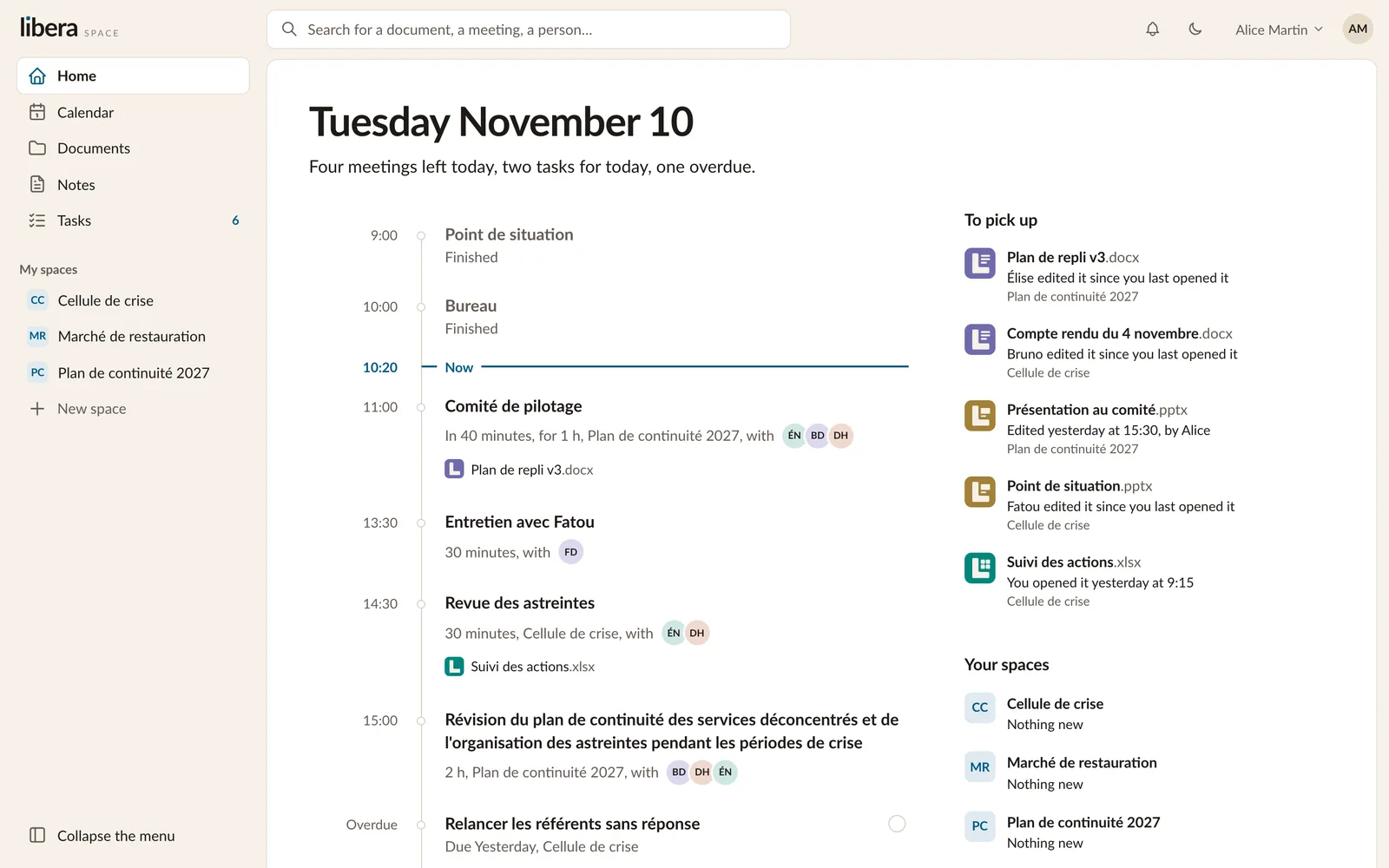
Today, at a glance
At the top, a sentence sums it up: how many meetings are left, how many tasks are due, whether one is late.
Below, your day runs along a timeline. Meetings that are over fade. A line marks the present moment. The next meetings show who will be there and which documents to read first. When a meeting is about to start, a button lets you join it.
Your tasks for today, and the late ones, sit on the same timeline. Tick one off from there.
To pick up
On the right wait the documents to pick up: those someone else edited since you last opened them, or that you were working on yesterday. Each says who changed it and when.
Further down, each of your spaces says in a word what is new in it.
Things that concern you
The bell at the top tells you when something concerns you: a document you wrote has a new version, someone added you to a space, invited you to a meeting or gave you a task. You can also receive these by email.
Emails wait a little, so that several changes arrive as one message. They go out during the working day only, never in the evening, at the weekend or on a public holiday.