Spaces
A space is where a team works: its documents, notes, tasks, meetings, discussion and members, together.
A space for each team
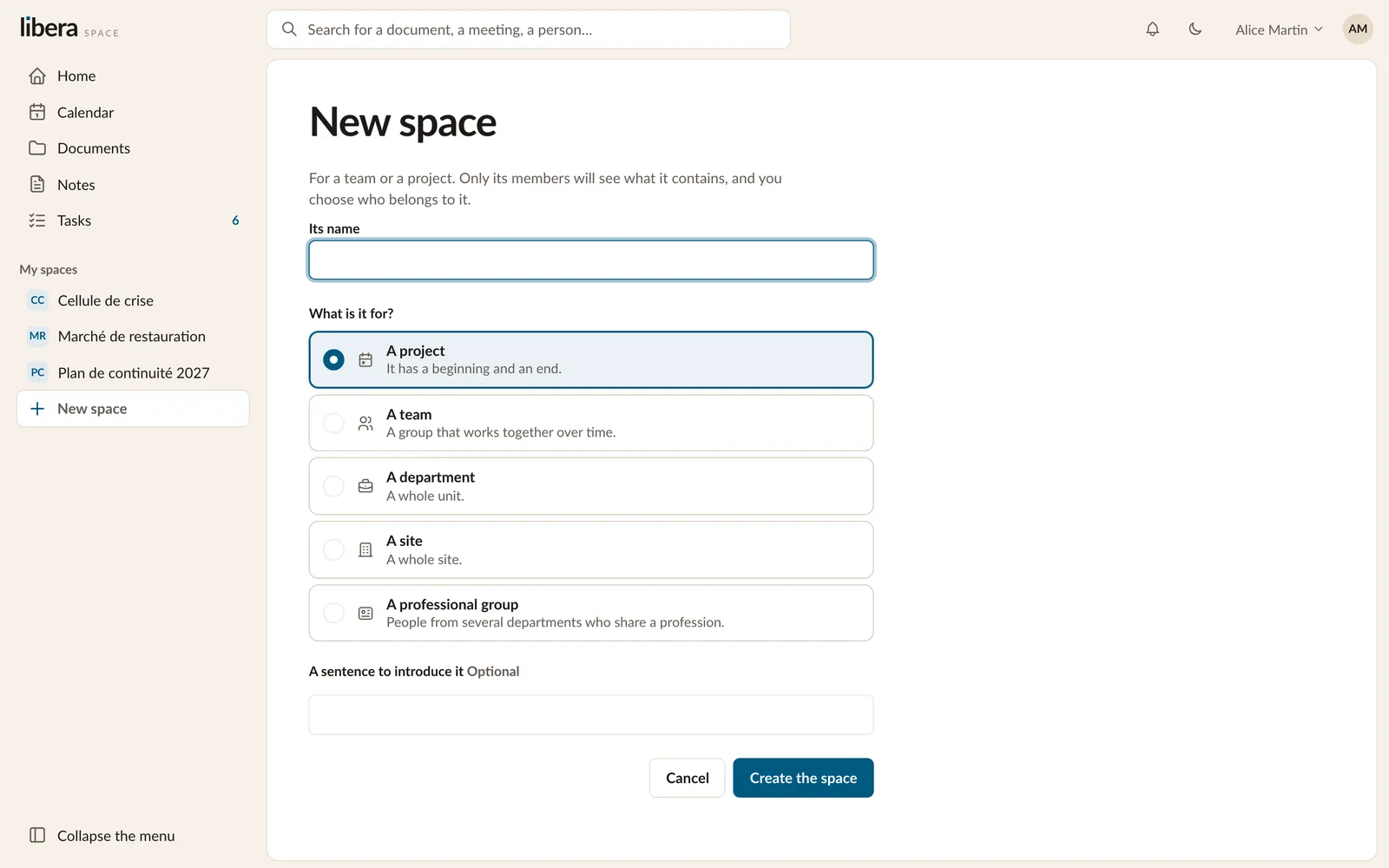
When you create a space, you say what it is for:
| Kind | For |
|---|---|
| A project | Work with a beginning and an end |
| A team | People who work together over time |
| A service | A whole unit |
| An establishment | A whole site |
| A business group | People from several services who share a trade |
You give it a name and a sentence that says what it is for. Its managers can change both later, as the work changes.
What is in a space
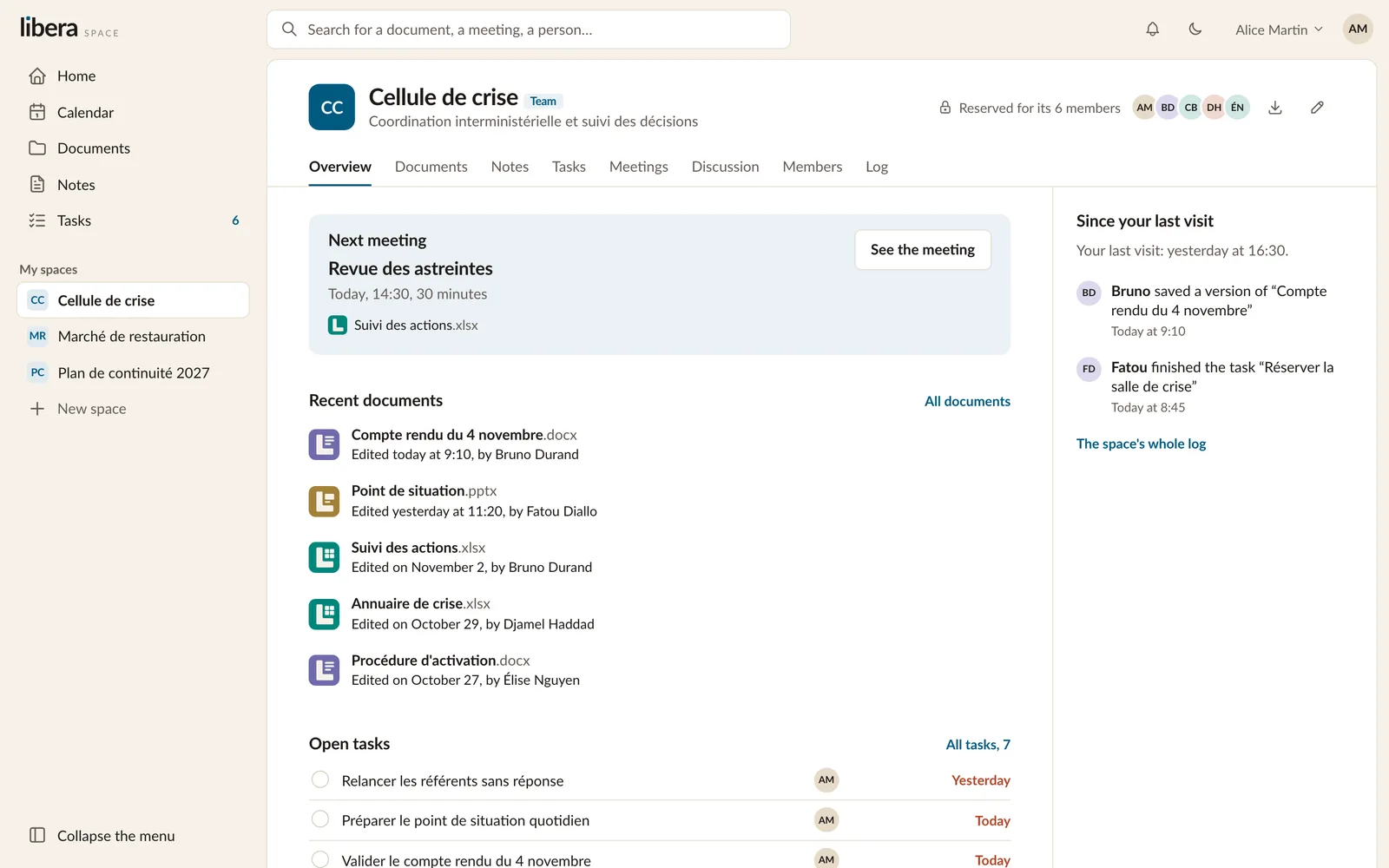
Overview. The next meeting, the latest documents, the open tasks, and what changed since your last visit.
Documents, Notes, Tasks and Meetings: the team's work. Each has a page of its own in this tour.
Discussion. A link to the team's room in Tchap, where conversations already happen.
Members. Who is in the space and what each person can do.
Log. For managers: who did what, and when.
Members and their rights
Everyone in a space has one of three levels:
- Can read: opens and downloads, changes nothing.
- Can edit: writes, uploads, organises.
- Can manage: everything above, and decides who is in the space.
A manager adds people by their email address. Someone who has no account yet receives an invitation, and joins the space when they first sign in.
A space always keeps at least one manager, so that it can never be left without anyone to look after it. Anyone can leave a space. Someone who leaves loses what they had in it at once, including the links they gave out.
A space's own information
A space can ask its documents for information of its own: a contract number and a supplier for a procurement space, a case reference for another. Every document in the space offers those fields, and search finds what is written in them.
Leaving with everything
A manager can take a whole space away as one archive: every document and its past versions, the notes, the tasks, the meetings and the log, in formats any tool can read. Nothing locks your work in.