A first look
Libera Space is organised around three ideas.
Your day. When you sign in, you see what today holds for you: your meetings, your tasks, and the documents others changed since you last opened them. Your day.
Your spaces. Each team you belong to has a space. Everything the team works on is in it, and only its members can see it, unless someone decides otherwise. Spaces.
Your work, wherever it is. Documents open in the browser, several people can write in them at once, and the same spaces appear as a drive on your computer. Documents, writing together, on your computer.
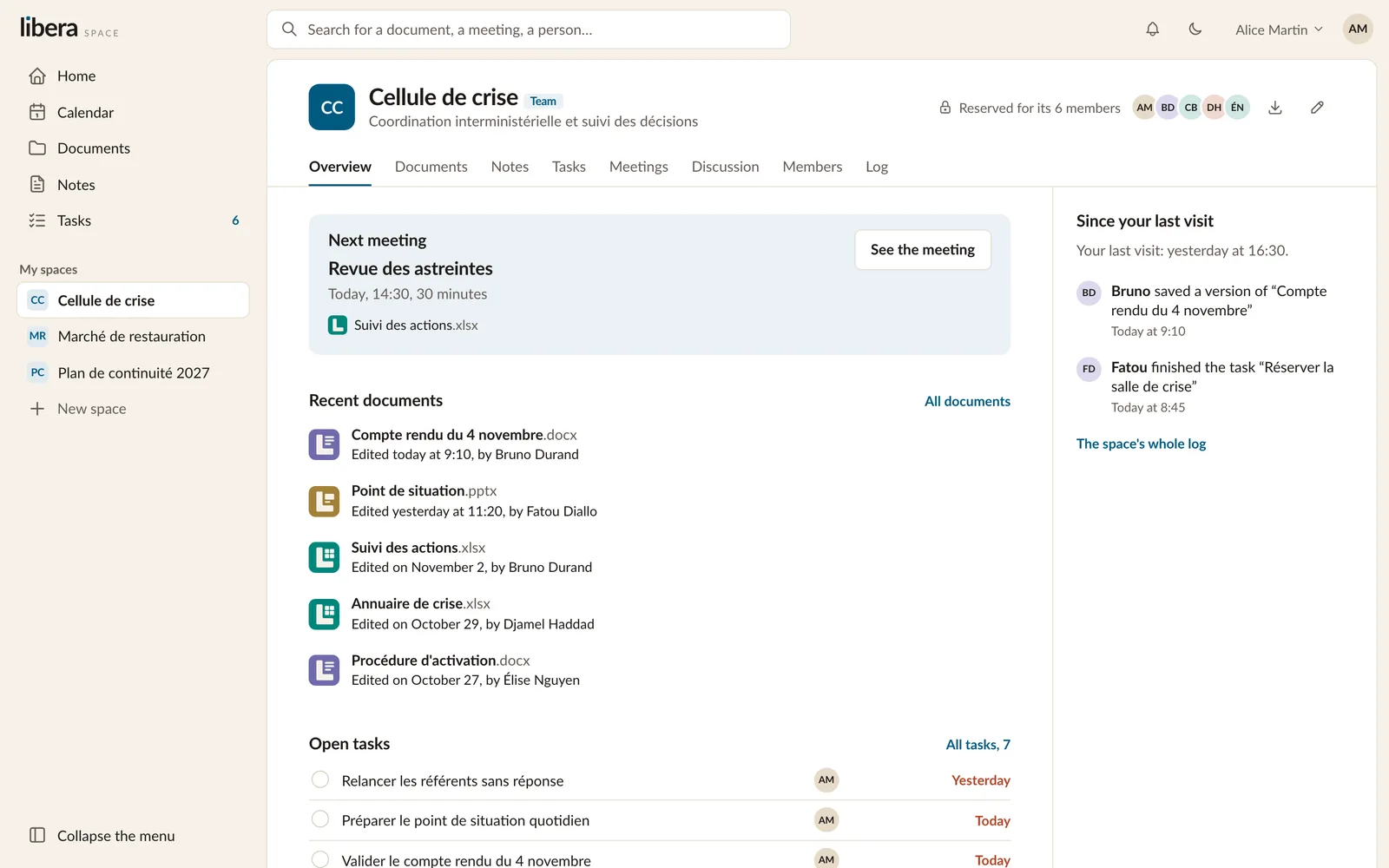
Around the screen
On the left are the places that gather your work from every space: Home, the Calendar, all your Documents, your Notes and your Tasks. Your spaces are listed below them, with a way to create a new one.
At the top sit one search box for everything, the bell for what concerns you, the switch between light and dark, and your account.
Where to go next
- If your organisation has just given you access, start with your account.
- If you are setting up a team, read spaces, then sharing.
- If you mostly write, read documents and writing together.