Documents
A space keeps its documents in folders, with their history, and shows them before you open them.
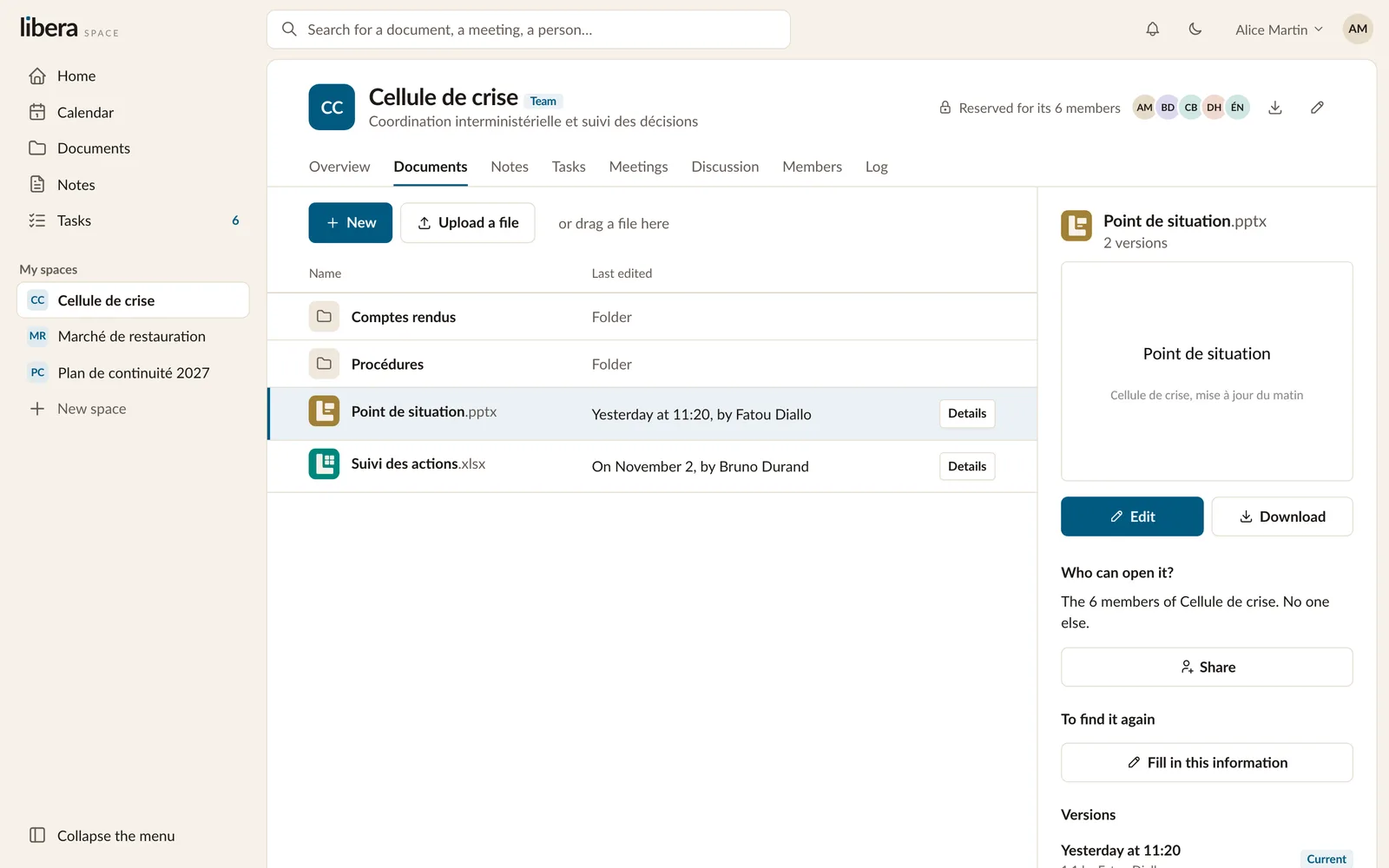
Creating and adding
New creates a document, a spreadsheet, a presentation or a folder. Upload a file, or drag one onto the list, adds what you already have: an office document, a PDF, an image, a video.
The list shows, for each document, when it was last changed and by whom.
Seeing before opening
Select a document and its details open beside the list: its first page, who can open it, its versions. A PDF, an image or a video opens to a page of its own, to be read without downloading anything.
Versions
Every time a document is saved, the previous state is kept. You can open any past version, download it, or bring it back: going back is itself a new version, so nothing is ever lost.
Organising
Folders hold documents and other folders. You can rename a document, move it to another folder, or replace its content with a new version from your computer. A document or folder you remove goes to the bin, where it stays until someone restores it.
Finding it again
Each document can say what it is: a type, a date, and the fields its space asks for. Search finds documents by those, by their name, and by the words written inside them.